

15 key ingredients for crafting a good automated test case
Enhance test automation with key strategies. Learn how to create test...
Learn what test management is, its key components, and how it helps teams plan, track, and improve software testing.

TL;DR
Shipping software with undetected defects is rarely a testing problem. It is usually a planning problem.
In the software development life cycle (SDLC), test management is the process of managing and monitoring an application’s testing, documentation, and other aspects to ensure that the application is bug-free and meets the customer’s requirements.
It involves organizing and controlling the testing process, starting with defining test strategies and allocating resources and continuing into tracking progress and evaluating results.
This guide breaks down the core components of test management, the full process, common challenges teams face, and practical strategies to overcome them.
When there isn’t a clear structure for testing, results tend to vary from one cycle to another. Some work gets repeated, a few scenarios are missed, and progress becomes harder to follow as work progresses.
Test management introduces a system that teams can rely on and refine over time.
The effect is easy to miss at the start. It tends to show up later, often when timelines begin to slip or issues reach production. By then, the cost goes beyond the code and starts affecting delivery plans.
Test management improves efficiency in a few practical ways:
Test management introduces a system that teams can rely on and refine over time.
In many teams, the same scenarios get tested more than once without anyone noticing. Once test cases are tied to requirements, that overlap becomes easier to spot. Teams spend less time rerunning work that doesn’t add value.
When testing starts closer to planning and design, issues show up before code is fully built. Fixing a gap in a requirement is very different from debugging it after release, both in time and effort.
In some teams, progress is tracked through updates or quick check-ins, so people piece things together as they go. A shared test management setup makes that easier to manage. Anyone can open it and see what has already been covered and what still needs attention.
Release decisions often come down to judgment calls when there is limited visibility. When coverage and defect trends are tracked over time, those decisions become easier to justify.
With defined processes in place, results don’t depend on individual experience. New team members can follow the same approach and produce similar outcomes.
There are several interconnected components of the test management process that ensure the efficiency of the testing process. These components are also called phases of test management. Let’s take a look at each in detail.
Test planning is the foundational step in test management that sets the overall direction and purpose of the test phase. It involves setting a clear objective for what the testing process aims to achieve. For example, software functionality, performance, security, etc.
It also focuses on specifying why, when, and where testing will take place; identifying resources needed, such as personnel, tools, and timelines; and allocating them appropriately.
The result of this stage is a comprehensive document that contains information about the scope, objective, resources, timeline, and test deliverables.
In the test design phase, what needs to be tested is broken down into multiple test cases that will validate the software against defined requirements.
In the test design phase, what needs to be tested is broken down into multiple test cases that will validate the software against defined requirements.
This phase aims to specify inputs, actions, and expected outcomes for each test case so that each one covers all functional and nonfunctional aspects of the software.
It’s also responsible for the preparation of test data that is required to execute tests in real-world settings. Well-designed test cases ensure that the testing process is systematic and comprehensive.
As Boris Beizer wrote in Software Testing Techniques, “More than the act of testing, the act of designing tests is one of the best bug preventers known.”
Once the test cases are designed, then comes the test execution stage. In this phase, the designed test cases are run against the intended software.
Testers follow the steps mentioned in test cases and use the prepared dataset to check if the software piece is working as expected or not.
If there are any changes in the actual outcome compared with the expected one, these changes are logged as defects. These results can then be summarized and displayed via various test metrics tools or some dashboards.
You must also be aware that test execution is an iterative process that involves multiple cycles to test different aspects of the software to make sure that the new changes do not affect the existing functionality.
The next stage of test management is resolving defects that were identified in the test execution phase. When a test case fails, you need to record comprehensive details like the steps to reproduce the issue, the severity of the defect, and its impact on the software.
Then, based on the severity, these defects go to developers for resolution. Once developers fix the issues, there is a need to retest to ensure the issues no longer exist.
When a test case fails, you need to record comprehensive details like the steps to reproduce the issue, the severity of the defect, and its impact on the software.
The final stage of test management is reporting. This stage involves documenting and communicating the results and findings from the testing process to other interested parties.
This includes generating reports that summarize the outcomes of test execution, defects, and key metrics such as test coverage, etc.
These reports are crucial to provide insights into the overall quality of the software and highlight any areas of concern. Also, it makes sure that there’s transparency and accountability by informing all the relevant parties.
Test management involves five stages that run across the entire testing life cycle: planning, authoring, execution, managing, and analysis. In practice, planning and execution usually carry the most weight, since they shape what gets tested and how that testing is carried out.
The previous section covered what each component of test management involves. This section covers how those components connect as a managed workflow over time.
As you know, planning sets the direction and scope for the testing activities. During this phase, a test manager prepares a comprehensive plan for the entire test life cycle. This stage includes the following:
Risk analysis involves identifying the potential risks and issues that can impact the overall testing process or the overall project. These risks include technical challenges, resource constraints, or uncertainties in requirements.
As test managers start working on it, they can potentially save project costs and help avoid possible losses.
In this stage, test managers predict the time, effort, resources, and cost required to complete the testing activities. Accurately estimating these details helps in setting realistic timelines and ensuring that the necessary resources are available.
In this phase, the test manager prepares a comprehensive test strategy that outlines the testing objectives, scope, approach, resources, schedule, and deliverables.
This test strategy serves as a roadmap for the entire testing life cycle, explaining how the testing should happen along with how to measure the success of the testing.
Defining the test environment, identifying test cases, and selecting testing tools all come under the planning phase.
At this point, the test manager focuses on structuring the test team and defining roles and responsibilities. The test manager assigns tasks to team members based on their expertise, ensuring clear communication channels and establishing collaboration processes.
An effective test organization ensures that all the goals of testing are clearly defined and that team members are working efficiently toward common goals.
An effective test organization ensures that all the goals of testing are clearly defined and that team members are working efficiently toward common goals.
Authoring determines how reliable execution will be. Weak test cases lead to false confidence, even if every test technically “passes.” This starts with writing test cases that define the steps to follow, the data to use, and the expected outcome for each scenario.
For automated testing, it also involves building test scripts that can run repeatedly without manual intervention, which matters most for regression testing and CI/CD pipelines.
Alongside test cases, the team prepares the data needed to run tests under realistic conditions, including test databases, user accounts, and sample files.
Teams also define templates, naming conventions, and documentation standards at this stage so test assets stay consistent and maintainable as the test suite grows.
Execution is the actual implementation stage of the test management process. This stage has the following responsibilities:
This stage involves continuously tracking the progress of testing activities against the plan. In this process, the test manager compares actual progress with planned milestones, identifies deviations, and takes corrective actions when necessary.
Monitoring also ensures that the testing process stays on track and issues are addressed as needed to avoid potential delays.
At this stage, the test manager needs to identify, document, and report issues that arise during testing. These issues can include defects, bugs, and any other problems that could impact the quality of the software.
Effective issue management requires clear communication, prioritization of issues based on severity, and coordination between testers, developers, and other stakeholders to make sure that the issue is resolved in less time.
Once the testing is complete, the test manager compiles the results of the testing activities into a report that summarizes the status of test cases, defects, and overall test coverage.
This report provides insights into the quality of the software, areas that still require some further attention, and a decision on where the software is ready to be released. This helps stakeholders to make informed decisions about the next step in the project.
When requirements change or new features are added, the test manager updates the test plan and communicates the changes to the team.
Managing covers the coordination work that keeps testing on track throughout the life cycle. The test manager ensures test environments are available, configured correctly, and reflect production settings as closely as possible.
Resources are assigned based on availability, expertise, and priority so the most critical areas of the software get adequate coverage.
Dependencies are tracked so testers know what needs to be in place before certain tests can run, whether that is a completed feature, prepared test data, or a third-party integration.
When requirements change or new features are added, the test manager updates the test plan and communicates the changes to the team.
Keeping developers, project managers, and stakeholders informed about testing status and blockers is part of this stage too.
Analysis is where the team evaluates what happened during testing and identifies what can be improved. Testers review pass and fail rates, defect trends, and coverage gaps to understand the overall quality of the software.
Root cause analysis goes further, looking at why defects occurred and whether patterns point to deeper problems in the code, requirements, or processes.
The team also tracks metrics like defect detection rate, test execution efficiency, and requirements coverage to measure how effective the testing was.
These findings are compiled into reports for stakeholders and feed directly into recommendations for the next testing cycle, making the process better over time.
Analysis is the most skipped stage in test management. Teams finish execution, ship the software, and move to the next project without reviewing what the testing data actually revealed. That pattern is how the same defect types appear cycle after cycle.
A test management tool is only useful if it supports the way your team actually works. They centralize testing activities and provide visibility into what has been tested, what is pending, and what has failed.
The right tool reduces manual overhead, prevents missed work, and gives teams accurate data to make decisions.
Here are the core features most test management tools provide:
Test management tools allow teams to create, organize, and store test cases in one place.
Testers can group them by feature, module, or priority, which makes them easier to find and reuse across projects. The tool also tracks the history of each test case, showing when it was last updated and by whom.
Without a clear record of what passed, failed, or was blocked, teams rely on assumptions, and that is where defects slip through.
Execution tracking is less about logging results and more about visibility. Without a clear record of what passed, failed, or was blocked, teams rely on assumptions, and that is where defects slip through.
The test manager gets an accurate picture of how much testing has been completed and what still needs attention.
Patterns also become easier to spot. If a specific module consistently produces failures, the data shows it early.
Traceability exists to answer a simple question: “What breaks if this requirement changes?” Without that link, teams either miss critical updates or waste time retesting unaffected areas.
Teams can confirm that every requirement has coverage and that nothing has been overlooked. When a requirement changes, the tool identifies which test cases are affected, reducing the risk of testing against outdated criteria.
Defect tracking is not just about logging issues quickly. It’s about preserving context. When defects are disconnected from test cases, developers lose the information they need, and resolution slows down.
The defect record captures the steps to reproduce the issues, its severity, and who it’s assigned to. Developers get the context they need without going back and forth with testers for more details.
Reporting turns testing activity into decisions. Raw execution data is not useful unless it clearly shows what is ready to ship, what is at risk, and where more testing is required.
Teams can generate them at any point during the project rather than waiting until testing is complete. Dashboards present the same data visually, which is useful when communicating progress to stakeholders who are not directly involved in testing.
Some tools allow teams to build custom dashboards that reflect the metrics most relevant to their project.
Collaboration improves when everyone works from the same source of truth. Without it, teams spend more time reconciling conflicting information than fixing actual issues.
Team members can comment on test cases, tag colleagues on specific issues, and get notifications when a status changes.
This keeps communication tied directly to the work rather than scattered across emails or chat threads.
Collaboration improves when everyone works from the same source of truth.
Test management tools connect with the other tools teams already use, such as CI/CD pipelines, issue trackers, and version control systems.
This means test results can trigger automated workflows, defect reports land directly in tools like Jira, and testing activity stays visible across the development pipeline.
Tricentis qTest is a scalable test management solution that integrates with planning, testing, and DevOps tools. It gives teams a unified view of testing throughout the software development cycle and supports Agile, waterfall, and hybrid methodologies.
Mid-size to large enterprise teams managing testing across multiple projects, tools, and teams. Pricing starts at $1,000 per year per user.
Teams under 15 engineers or without a dedicated QA function will likely find the cost and complexity hard to justify. Simpler tools will serve those teams better.
qTest is built around four modules: qTest Manager for test case management, qTest Insights for real-time metrics, qTest Launch for managing open-source frameworks, and qTest Explorer for recording test executions.
It integrates with any open-source or proprietary test automation tool, helping teams centralize test automation management and connect testing directly into their CI/CD pipelines.
The Jira integration is one of its most used features. Teams can link test cases directly to Jira stories, log defects from failed cases, and track test execution status without leaving Jira.
TestRail is a test management platform for QA teams that integrates with DevOps tools, test automation frameworks, and issue tracking systems. It works as a standalone tool, meaning teams do not need Jira or any other platform to use it.
Teams of any size that need a straightforward, well-documented tool for managing test cases, test runs, and reporting. Pricing starts at $34 per user per month on the Professional plan. TestRail works well as a starting point for teams new to structured test management.
Teams that grow quickly or need deep automation integration may find the feature set limiting compared to enterprise alternatives.
Teams can organize test cases into suites and section hierarchies, preserve full test case history to track changes, and generate personalized to-do lists with advanced filtering options.
The reporting tool generates detailed summary reports, result comparisons across multiple test runs, traceability and coverage reports, and workload tracking.
TestRail links tests to requirements in tools like Jira, GitHub, and Azure DevOps, providing complete traceability. It also supports CI/CD integration for centralized reporting and real-time visibility into test data.
Zephyr Scale is a test management solution inside Jira with advanced test planning, reporting, and reusability features. It supports Agile and waterfall-based teams with cross-project hierarchical test libraries, versioning, parameters, and BDD testing integrations.
Teams already using Jira that want test management built directly into their existing workflow. Pricing starts at $10 per month, but the model charges per Jira user rather than per tester.
For teams with large engineering departments and small QA functions, that difference adds up quickly. Calculate the total cost carefully before committing.
Zephyr Scale offers over 70 out-of-the-box reports and supports BDD, CI/CD, and automation integration.
Teams can create test cases, test cycles, and execution records directly within Jira, keeping all testing activity tied to the same issues and stories developers are already working on.
The most recent version adds Atlassian Rovo and MCP support, allowing teams to use the Zephyr Rovo Agent in the Rovo chatbot and build custom agents using Zephyr skills in Rovo Studio.
Test management improves the quality of software, but it comes with real difficulties that teams need to account for.
Most of these challenges do not appear suddenly. They build gradually when process shortcuts accumulate over several cycles. By the time a team notices the problem, it is usually already affecting release quality.
When teams underestimate the time, resources, or effort required for testing, everything downstream is affected.
This is where most problems start. When teams underestimate the time, resources, or effort required for testing, everything downstream is affected. Deadlines get missed, coverage gets cut short, and the pressure to ship leads to compromises that show up later in production.
Testing across multiple devices, operating systems, or configurations means maintaining an environment that behaves consistently.
When environments differ from production, test results become unreliable, and teams spend more time troubleshooting the environment than the software itself.
This is a risk on any project, but it becomes harder to manage as the software grows. Large applications have more features, more edge cases, and more dependencies to account for.
Without a clear coverage strategy, critical scenarios get missed, and defects reach production undetected.
This usually comes down to communication and prioritization. When defects are not clearly documented, incorrectly prioritized, or left unresolved for too long, they pile up and become harder to address.
This creates instability in the software and slows down the rest of the testing cycle.
This affects both the quality and completeness of testing. When the people, tools, or time promised during planning are not available during execution, teams are forced to make cuts. Those cuts almost always affect coverage.
The later defects are found, the more expensive they are to fix. Involving testers during the planning and design stages means issues are caught before they become harder to address. Early testing also gives teams more time to iterate without affecting release timelines.
Most teams understand this in theory. In practice, the teams that benefit from it treat testing as part of development, not a phase that follows it.
If most defects are being found after release rather than during testing, the process is not working, regardless of how many test cases were executed.
Numbers tell a clearer story than status updates. Tracking metrics and KPIs like defect detection rate, test coverage, and test execution progress gives teams an accurate picture of where testing stands and where attention is needed.
The metric that gets ignored most often is defect detection rate. If most defects are being found after release rather than during testing, the process is not working, regardless of how many test cases were executed.
A test management tool that fits how the team works reduces manual effort and keeps testing activity visible across the project.
Look for tools that support test case management, defect tracking, reporting, and integration with the tools the team already uses. Anything less creates gaps that teams end up managing manually.
The wrong tool creates more overhead than it removes. If a team spends more time maintaining the tool than running tests, it is the wrong tool.
Agile methodologies encourage continuous testing and fast feedback. Instead of testing at the end of a development cycle, teams test incrementally as features are built. This keeps quality consistent and reduces the volume of defects that accumulate before release.
In practice, the risk is moving fast without maintaining coverage. Speed and coverage are a trade-off, and the balance needs to be managed deliberately.
Each testing cycle produces data that can improve the next one. Teams that take time to review what worked, what did not, and why defects were missed build a process that gets more reliable over time.
The teams that manage testing well share one habit: they treat testing data as feedback on their process, not just their software. Every defect that reaches production is a signal that something in the testing process needs to change.
Teams that treat testing as a managed system rather than a final step consistently catch more defects earlier, ship more predictably, and spend less time firefighting after release.
The specifics of how you implement test management will vary, but the principle is consistent: without structure, testing becomes reactive, coverage becomes uneven, and quality becomes harder to control.
If you are evaluating tools to support your test management process, Tricentis covers the full testing life cycle and scales well for teams managing work across multiple projects and environments.
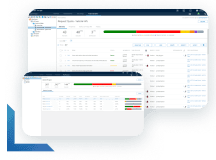
Learn more about how to scale, orchestrate, and accelerate test automation for complete visibility into your testing process.
Learn more about how to scale, orchestrate, and accelerate test automation for complete visibility into your testing process.
Test management is the process of planning, organizing, executing, and tracking all testing activities within the software development life cycle. It ensures that testing is structured, measurable, and aligned with project requirements and quality goals.
Jira is primarily a project and issue tracking tool. It does not include native test management capabilities, but it supports test management through third-party plugins like Zephyr Scale and Xray.
These plugins add features like test case creation, test execution tracking, and reporting directly within Jira.
The six phases of the software testing life cycle (STLC) are requirement analysis, test planning, test case development, test environment setup, test execution, and test cycle closure.
The four core types of software tests are unit testing, integration testing, system testing, and acceptance testing.